
Maintenance investment plan
Trail's Investments module can plan two different kinds of spending:
- Money going into renewing and purchasing new items
- Follow money spent on items' maintenance costs
This guide covers the second kind - creating a Maintenance-type investment plan and linking maintenance work to it.
Over time, investments allow to follow how much money has been spent in maintenance.
Create a maintenance investment plan
- Open Investments → All investments
- Click "Create a new investment"
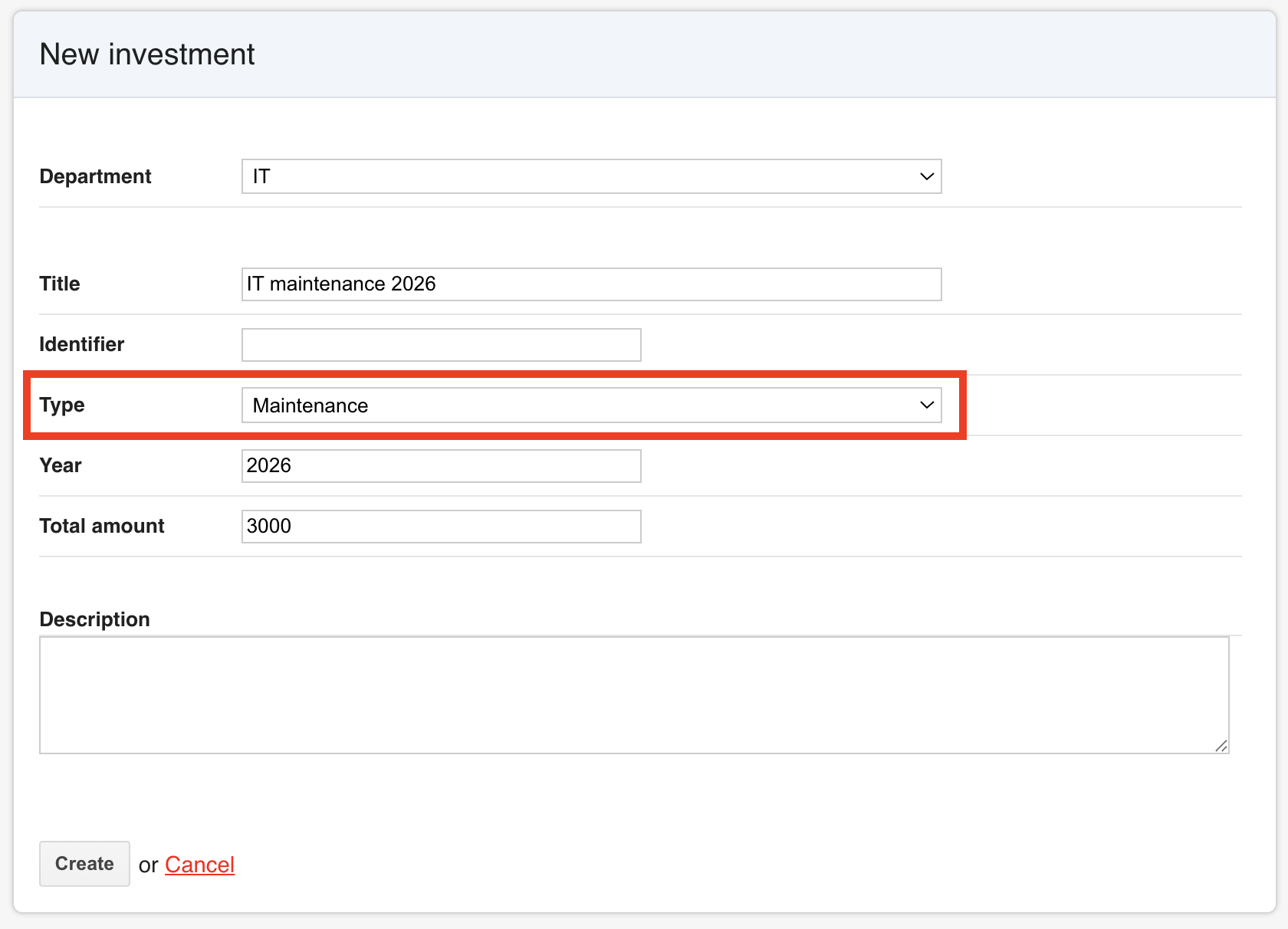
- Fill in the plan details
- Department - The department this plan belongs to. This is what later determines which items can be linked to it.
- Title - A name for the plan, e.g. "Sound maintenance 2026".
- Identifier - Optional internal reference code.
- Type - Set to Maintenance ❗
- Year - Budget year for the plan.
- Total amount - The budget allocated to this plan.
- Description - Optional free text.
- Click "Create"
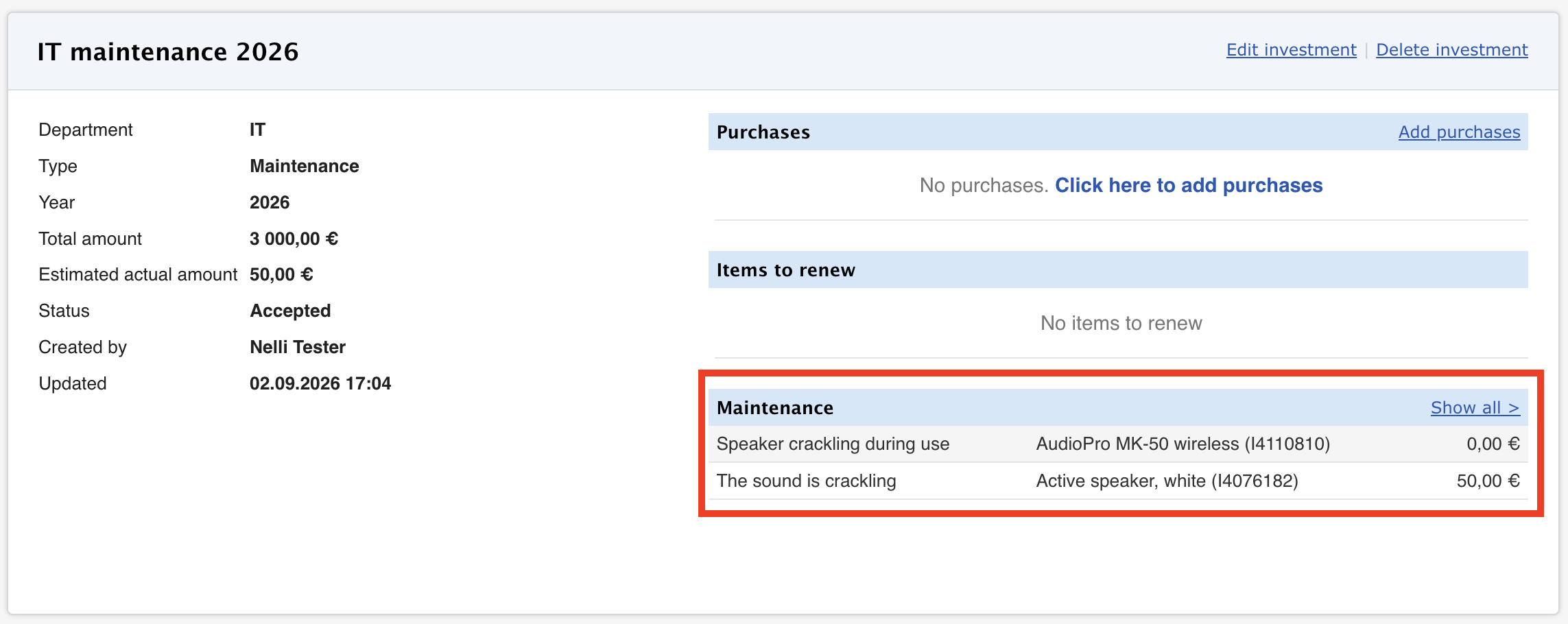
- The plan is saved and opens on its own detail page, with sections for Purchases, Items to renew, and Maintenance.
Adding maintenance investment
Main requirements:
- The investment plan's Type must be Maintenance.
- The item must belong to the same Department as the plan.
- Open the maintenance task
- Go to the relevant defect report or planned maintenance task
- Click "Edit" if the maintenance ticket is already existing in Trail
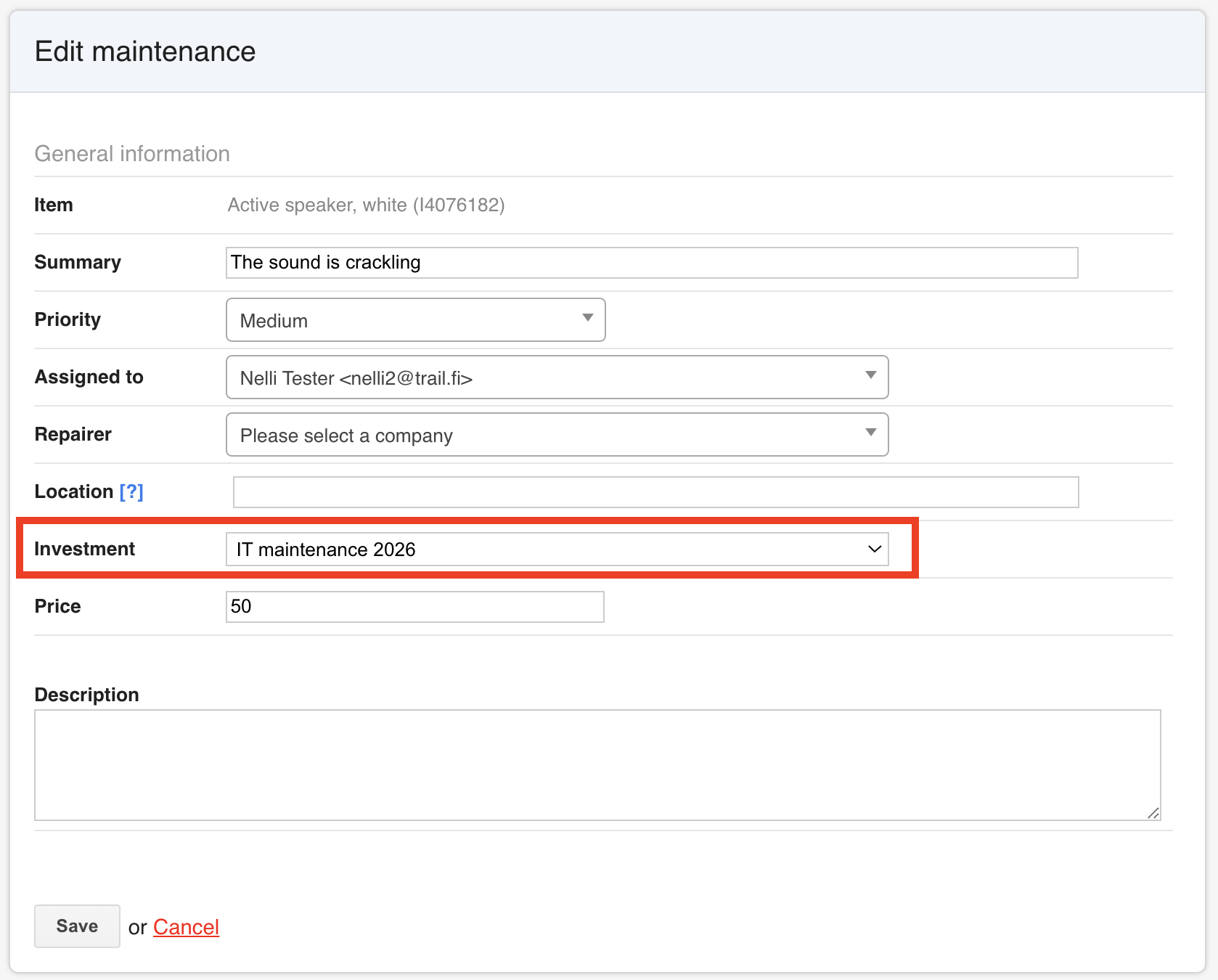
- Choose the plan in the Investment field
- Click "Save"
- The maintenance tasks will be shown in the investment's page under its Maintenance section, alongside its recorded maintenance cost.
How to renew items through investment
If you would hope to also use the same investment plan to renew some of the items, please follow the next guide: Renewing items as part of an investment